Comparisons / Guides
Golden Dragon Alternatives: Similar Gaming Platforms to Compare
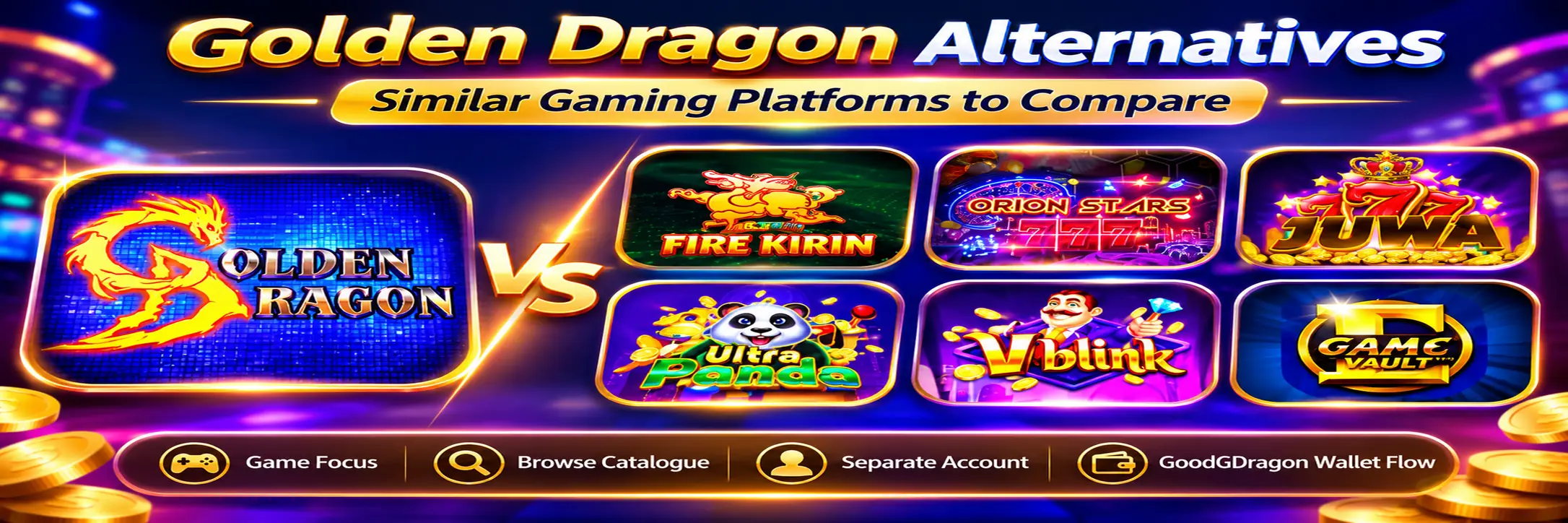
If you use Golden Dragon and want to try something else, GoodGDragon connects to several other gaming platforms from the same account. Fire Kirin, Orion Stars, Juwa, Ultra Panda, Vblink and Game Vault are the main GoodGDragon alternatives worth comparing.
They aren’t substitutes for Golden Dragon in the sense of being interchangeable. Each is a separate platform with its own game account, its own Game ID and password, and its own balance. What they share is the GoodGDragon wallet flow around them.
One difference matters more than the rest, and it’s not about games or payouts: on GoodGDragon, only one of them currently publishes a game catalogue you can browse before opening the platform.
Golden Dragon Alternatives at a Glance
| Platform | Game focus | Catalogue you can browse first | Separate account | Card controls |
| Golden Dragon | Shown inside PlayGD | No | Yes | Recharge, Refresh Balance, Play Now, Redeem |
| Fire Kirin | Reel-heavy, with fish games | Yes — searchable, 120+ titles | Yes | Recharge, Refresh Balance, Play Now, Redeem |
| Orion Stars | Fish-shooting and reel-style | No | Yes | Recharge, Refresh Balance, Play Now, Redeem |
| Juwa | Shown inside its lobby | No | Yes | Recharge, Refresh Balance, Play Now, Redeem |
| Ultra Panda | Shown inside its lobby | No | Yes | Recharge, Refresh Balance, Play Now, Redeem |
| Vblink | Shown inside its lobby | No | Yes | Recharge, Refresh Balance, Play Now, Redeem |
| Game Vault | Shown inside its lobby | No | Yes | Recharge, Refresh Balance, Play Now, Redeem |
At the time of checking, all seven were listed as active wallet-integrated platforms, and each platform record carried a $5 minimum. Platform settings and listings can change, so check your own card before relying on this.
For Golden Dragon specifically, GoodGDragon’s current Golden Dragon game guide explains why the connected game list should be checked inside the live platform rather than copied from another provider. Golden Dragon games guide
What’s the Best Golden Dragon Alternative?
It depends on what you’re comparing, but one answer is more defensible than the others.
Fire Kirin is the only alternative here with a published catalogue on GoodGDragon. Its Firekirin Exclusive area holds more than 120 titles with its own search box — reel-style games make up roughly three quarters of them, with around two dozen fish games and smaller keno and poker groups.
Every other platform on this list, Golden Dragon included, shows its library only after you open it. That makes Fire Kirin the one you can evaluate before committing, which is a practical advantage rather than a quality judgment.
If you want fish games specifically, Orion Stars is the other platform GoodGDragon documents by category — fish-shooting titles alongside reel-style games — though without a published list you can’t compare depth against Fire Kirin’s two dozen.
Fire Kirin
Fire Kirin is one of the clearest alternatives for anyone interested in fish games, and the one with the most visible catalogue information.
Its card carries the same core controls as Golden Dragon’s — Game ID, password, Recharge, Refresh Balance, Play Now and Redeem — and resolves to a browser-based destination with no app required for that route.
GoodGDragon’s Fire Kirin browser guide covers the current browser/no-APK route in more detail. Fire Kirin browser guide
Worth correcting a common assumption: Fire Kirin isn’t fish-only. Reel-style games are the clear majority of its catalogue. If you came looking purely for fish tables, the fish selection is real but it’s the smaller part of what’s there.
Orion Stars
Orion Stars is the alternative with the clearest documented game mix.
GoodGDragon describes it as carrying fish-shooting games alongside reel-style titles — the arcade format where you aim at targets moving across the screen, plus conventional reel games in the same lobby.
Setup offers two routes on the card: connect an existing Orion Stars account, or register a new one. Once connected, the card shows the Game ID and password with Recharge, Refresh Balance, Play Now and Redeem.
It opens in a browser tab, so no download is needed for that route.
GoodGDragon’s Orion Stars platform page covers the connected account and wallet flow. Orion Stars on GoodGDragon
Juwa
Juwa is another wallet-integrated alternative with its own game library and the standard card controls, though GoodGDragon publishes no verified catalogue for the connected Juwa route.
Two things matter here.
Juwa and Juwa 2.0 Are Separate
Juwa and Juwa 2.0 are listed as separate platforms with separate platform cards and game accounts, so make sure you open the one you mean.
GoodGDragon’s Juwa vs Juwa 2.0 guide explains that distinction in more detail. Juwa vs Juwa 2.0 guide
Don’t Mix Juwa With Link2Play
Juwa also appears under Link2Play as well as in the wallet-integrated lobby. Those are different access routes, and instructions for one shouldn’t automatically be applied to the other.
Since GoodGDragon publishes no connected Juwa catalogue, its current selection has to be checked inside the platform. Don’t assume its mix matches Fire Kirin’s or Golden Dragon’s.
The main Juwa platform guide covers its connected setup, credentials and wallet flow. Juwa platform guide
Ultra Panda
Ultra Panda follows the same general wallet-integrated pattern — a separate game account, Game ID and password, with controls including Recharge, Refresh Balance, Play Now and Redeem.
No catalogue is published for it, so describing its current selection as fish-focused or slot-focused without checking the live platform would be guesswork.
Open the platform and look at what’s actually available before deciding whether it suits you.
Also keep the wallet-integrated lobby card separate from any similarly named Link2Play route. GoodGDragon documents those as different account and balance flows. Ultra Panda account guide
Vblink
Vblink is another platform in the GoodGDragon lobby with a separate game account and the standard Recharge, Refresh Balance, Play Now and Redeem controls on its connected route.
Its exact game categories aren’t published as a verified GoodGDragon catalogue. The card and wallet flow are documented; the current library should be checked inside the platform.
GoodGDragon’s current Vblink guide explains the separate wallet and in-game balance model. Vblink guide
Game Vault
Game Vault rounds out the set as another wallet-integrated platform.
Its connected route uses the GoodGDragon wallet flow, including Recharge and Redeem, but its exact account setup and launch method can depend on the current platform configuration — follow what the Game Vault entry in your account shows.
No verified GoodGDragon game catalogue is published for it either.
GoodGDragon’s Game Vault guide specifically recommends following the access details currently displayed for your account. Game Vault access guide
It belongs on this list because it’s a wallet-integrated platform option rather than because anything establishes it as better or worse than the others.
Which Golden Dragon Alternative Is Best for Fish Games?
Fire Kirin and Orion Stars are the two with documented fish-game relevance, and they’re documented differently.
Fire Kirin
Fire Kirin’s catalogue names its fish titles — Crab King, Ocean Monsters, Baby Octopus, Deepsea Volcamon, Fish Chopper and the flagship Fire Kirin games among them — so you can check for specific titles in advance.
Orion Stars
Orion Stars has fish-shooting games documented as a category but no equivalent published GoodGDragon catalogue listing them individually.
That difference is about documentation, not quantity.
Orion Stars being harder to inventory doesn’t mean it has fewer fish games, and a larger selection on either platform wouldn’t indicate better odds or payouts.
Which Golden Dragon Alternative Is Best for Slots?
Fire Kirin is the best-documented option for reel-style variety.
Reel-style games make up roughly three quarters of its published catalogue, and no other platform in this comparison publishes a directly comparable count.
Orion Stars carries reel-style titles too.
GoodGDragon publishes no comparable reel-game counts for Juwa, Ultra Panda, Vblink or Game Vault, so there’s no verified basis for ranking their slot libraries.
Browser Access and Apps
Each platform is opened from its GoodGDragon card — sign in, open the card and select Play Now.
Fire Kirin and Orion Stars currently resolve to browser-based destinations. For the others, follow the access method shown on your own card because configuration can vary by platform.
Where the connected route is browser-based, no separate APK or native app is required.
Be cautious with third-party pages offering downloads under any of these platform names. A page using the right brand name doesn’t prove it connects to your GoodGDragon account.
The card in your signed-in account is the route tied to your connected platform account.
If a browser-based platform doesn’t open, check whether your browser blocked the new tab or popup before assuming the platform is unavailable.
How the GoodGDragon Wallet Works Across These Platforms
This is the part that stays broadly consistent across the wallet-integrated alternatives.
| Action | What it does |
| Recharge | Moves eligible SC from your GoodGDragon wallet into the selected game |
| Refresh Balance | Updates the balance displayed on that platform’s card |
| Redeem | Moves eligible game balance back to your GoodGDragon wallet |
| Withdraw | A separate payout request made from your GoodGDragon wallet |
Recharge and Redeem apply to the individual platform card you’re using.
Recharging Fire Kirin, for example, puts nothing into Juwa, Golden Dragon or Orion Stars.
Redeem Is Not Withdraw
Redeem moves eligible value from a game back to your GoodGDragon wallet.
Withdraw is the separate account-level action used after that.
GoodGDragon tracks three wallet balances:
- Purchased SC — from deposits
- Bonus SC — from eligible promotions
- Redeemable SC — the balance used for eligible withdrawal requests
Only Redeemable SC is used for an eligible withdrawal request, subject to the current account and verification requirements.
GoodGDragon’s dedicated SC guide explains those three balances and the Deposit → Recharge → Redeem → Withdraw flow in detail. Purchased, Bonus and Redeemable SC guide
Can You Move a Golden Dragon Balance to Another Platform?
Not directly.
The platform cards carry no direct platform-to-platform transfer control.
The flow is:
Golden Dragon → Redeem → GoodGDragon wallet → Recharge → selected alternative
That means moving eligible value from Golden Dragon into Fire Kirin, Orion Stars or another connected platform involves two separate card actions.
Can You Use More Than One Platform?
Yes, subject to current platform availability and account eligibility.
Each connected game account, its credentials and its game balance remain separate.
What stays separate includes:
- Game IDs
- Passwords
- In-game balances
- Game libraries
- Platform-specific account details
Recharge and Redeem apply only to the platform card you’re using. There is no single combined in-game balance spanning all of these platforms.
Why Payout Claims Shouldn’t Decide Which Platform You Choose
Nothing available supports ranking these platforms by winning chances, payout rates or return-to-player percentages.
No published data establishes that Fire Kirin, Orion Stars, Juwa, Ultra Panda, Vblink, Game Vault or Golden Dragon is inherently easier to win on than the others.
You’ll find pages online that rank platforms that way, often alongside a recommendation to sign up through a specific provider.
Catalogue visibility, game style, account flow and interface are things you can actually compare.
Claims of payout superiority are not established by this comparison.
Golden Dragon Alternatives FAQs
What Are the Best Alternatives to Golden Dragon?
Fire Kirin has the strongest published catalogue visibility, Orion Stars has a documented fish-and-reel mix, and Juwa is another separate wallet-integrated option whose current library has to be checked inside the platform.
Ultra Panda, Vblink and Game Vault are also connected alternatives available through the GoodGDragon platform lineup.
Is Fire Kirin Similar to Golden Dragon?
Both are associated with fish-style games and use similar GoodGDragon wallet controls.
The main documented difference is that Fire Kirin has a searchable GoodGDragon catalogue, while Golden Dragon’s current selection is checked inside PlayGD.
Is Orion Stars Similar to Golden Dragon?
Their GoodGDragon account and wallet structures are similar, but they use separate game accounts and different game libraries.
Orion Stars documents fish-shooting and reel-style categories, while Golden Dragon’s current selection is visible inside PlayGD.
Is Juwa a Golden Dragon Alternative?
Yes, as a separate gaming platform.
Accounts, credentials, balances and libraries stay independent. Make sure you’re opening the wallet-integrated Juwa card rather than the separate Link2Play route, and distinguish Juwa from Juwa 2.0.
Which Golden Dragon Alternative Is Best for Fish Games?
Fire Kirin lets you check specific fish titles in advance. Orion Stars documents fish-shooting as a game category.
Compare the current selections rather than assuming either platform offers better winning chances.
Which Golden Dragon Alternative Is Best for Slots?
Fire Kirin is the best-documented option based on published catalogue information — reel-style games make up roughly three quarters of its catalogue.
GoodGDragon doesn’t publish comparable counts for the other platforms in this comparison.
Can I Use Multiple Platforms Through GoodGDragon?
Yes, subject to current availability and account eligibility.
Credentials, game balances and libraries stay separate for each connected platform.
Can I Transfer My Golden Dragon Balance Directly to Another Game?
No direct platform-to-platform transfer control is shown.
Redeem eligible value back to your GoodGDragon wallet first, then Recharge the other platform.
Do Any of These Platforms Need an App?
For routes that are browser-based, no separate app is required.
Follow the access method currently shown on your own GoodGDragon platform card rather than assuming every connected platform launches the same way.
Sign in to GoodGDragon and compare the current platform options in your account before choosing the game library and access route that suits you.
Players must be at least 18, or the age of majority in their jurisdiction if higher. Availability depends on location and play is void where prohibited. Platform availability and listings can change. No purchase is necessary to enter or win, and a purchase does not increase your chances of winning.
Review GoodGDragon’s current Terms and Responsible Gaming information before participating. For additional U.S. responsible-gambling resources and support information, the National Council on Problem Gambling also provides independent guidance and assistance. NCPG responsible gambling resources