Comparisons / Guides
Fire Kirin vs Orion Stars: Games, Access, Wallet & Key Differences
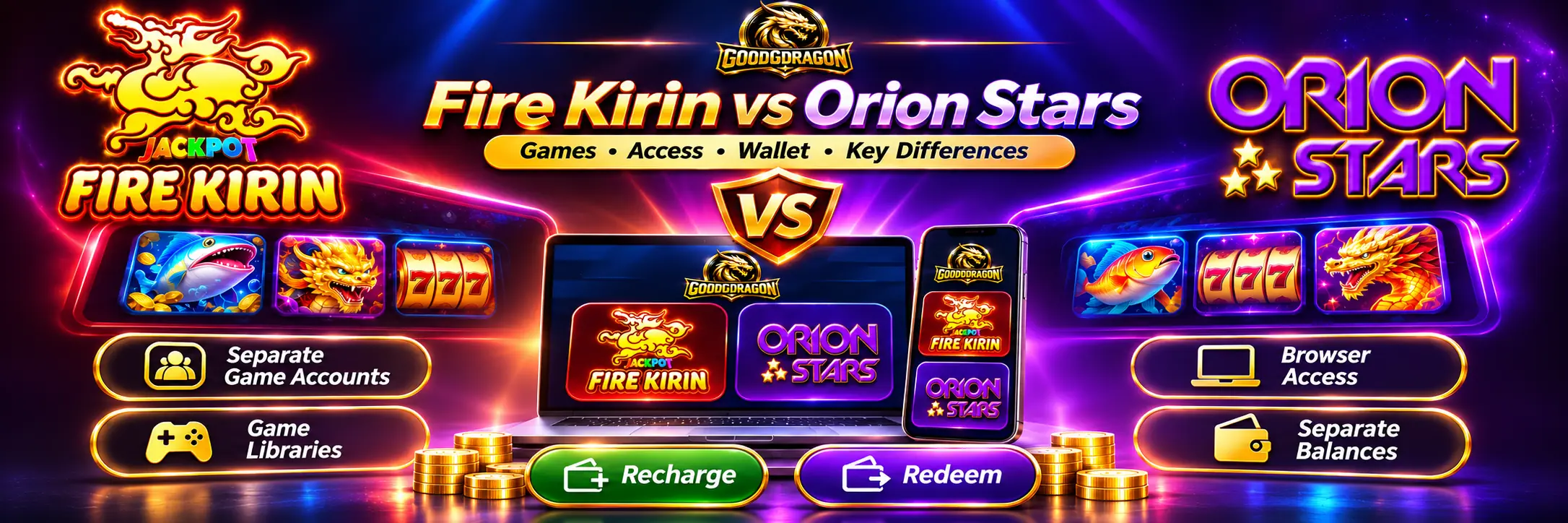
Fire Kirin and Orion Stars are separate gaming platforms, both reachable through GoodGDragon. Each has its own game account, its own Game ID and password, and its own balance. Neither one’s credentials work on the other.
The clearest practical difference is visibility. Fire Kirin has a published catalogue on GoodGDragon you can browse and search before opening anything. Orion Stars doesn’t, so its library is only visible once you’re inside the platform.
Fire Kirin vs Orion Stars at a Glance
| Feature | Fire Kirin | Orion Stars |
| Separate platform | Yes | Yes |
| Separate Game ID | Yes | Yes |
| Separate password | Yes | Yes |
| Separate balance | Yes | Yes |
| Shared credentials | No | No |
| Platform card status | Active | Active |
| Refresh Balance | Yes | Yes |
| Recharge | Yes | Yes |
| Play Now | Yes | Yes |
| Redeem | Yes | Yes |
| Password link on card | “Update password?” | “Reset password?” |
| Published catalogue on GoodGDragon | Yes — searchable, 120+ titles | No |
| Minimum recharge | $5 | $5 |
Withdrawal limits aren’t in this table on purpose. They’re GoodGDragon account controls rather than platform payout limits — the minimum is 30 SC and the maximum rises with your VIP tier, from 350 SC at Iron. Those figures apply to your account, not to Fire Kirin or Orion Stars specifically.
Use the platform card itself as the source of truth for platform-specific Recharge and Redeem minimums, and check your own card before relying on any of this.
Are Fire Kirin and Orion Stars the Same?
No. They’re separate third-party gaming platforms with separate game accounts and separate libraries.
GoodGDragon lists them as separate connected platforms, each with its own game account and destination. Your Fire Kirin Game ID will not sign you into Orion Stars, and a balance sitting in one is not available in the other. Connecting one account doesn’t connect the other.
For Orion Stars specifically, GoodGDragon’s Orion Stars account guide explains how its separate game account, Game ID, password and wallet connection work.
How Fire Kirin and Orion Stars Work Through GoodGDragon
Both appear as platform cards in your lobby, and the cards are built the same way. Open either and you get:
- Game ID — the platform account identifier, separate from your GoodGDragon email
- Password — masked, with a link to change it
- Refresh Balance — updates the figure shown on the card
- Recharge — moves eligible SC from your GoodGDragon wallet into that game
- Play Now — opens the platform
- Redeem — moves eligible game balance back to your wallet
One small difference, and it’s the kind of thing that only shows up from looking: Fire Kirin’s card says “Update password?” while Orion Stars says “Reset password?”
Fire Kirin is the only platform in the lobby using “Update” — every other card with a password link says “Reset.” Same function, different label. Worth knowing only so you don’t go hunting for a “Reset” link on the Fire Kirin card that isn’t there.
Which Has More Games: Fire Kirin or Orion Stars?
Fire Kirin is the only one of the two with a published catalogue on GoodGDragon, so it’s the only one with a countable answer.
The Firekirin Exclusive area holds more than 120 titles and has its own search box. The breakdown at the time of checking:
| Category | Titles |
| Reel-style (slots) | 92 |
| Fish games | 24 |
| Keno | 4 |
| Poker-style | 2 |
| Other | 1 |
Orion Stars has no equivalent published catalogue. Its library lives inside the platform’s own lobby, which you reach through Play Now.
So there’s no like-for-like comparison, and anyone presenting one is guessing. What you can say with confidence is that Fire Kirin’s selection is browsable in advance and Orion Stars’ isn’t.
Catalogue contents change, so treat those figures as a snapshot rather than fixed numbers. You’ll also find articles quoting counts like “16 fish games” or “11 slots” for these platforms — those describe other operators’ own connected inventories, not what’s in your GoodGDragon account.
Fire Kirin vs Orion Stars Fish Games and Slots
The catalogue settles a common misconception: Fire Kirin is not a fish-only platform. Reel-style games account for roughly three quarters of its titles.
Its two dozen fish games include the flagship Fire Kirin and Fire Kirin 2, alongside Crab King, Ocean Monsters, Baby Octopus, Deepsea Volcamon and Fish Chopper.
The fish games are what the lobby carousel previews, which is partly why Fire Kirin reads as fish-first. Reel-style games are the clear majority of the catalogue, and they only show up once you open the full list.
Orion Stars also carries both fish-shooting and reel-style games, but with no published list there’s no way to compare depth in either category from GoodGDragon’s side.
Neither platform should be chosen on the assumption that a game category affects your chances. Catalogue size says nothing about payout rates or return-to-player percentages.
What About Graphics and Performance?
This guide doesn’t rank them.
Load speed, frame rate and interface quality depend on your device, your connection and the current platform build. A comparison written without running both on the same hardware on the same day isn’t worth much, and that test hasn’t been done here.
You’ll find pages ranking them anyway — one platform called “lighter,” another “more polished.” Those judgments are generally published by sites representing one of the two platforms, and none of them cite a test.
If performance matters to you, open both from your own cards and judge on your own device. That takes about two minutes and it’s worth more than anyone’s adjective.
Browser Access: Do Fire Kirin or Orion Stars Need an App?
Both run through browser-based routes from the GoodGDragon card. Sign in, open the card, tap Play Now — the same flow on phone and desktop.
No separate APK or native app is required for these GoodGDragon routes. The current Fire Kirin browser guide and Orion Stars login and access guide cover the account-specific browser flow in more detail.
Fire Kirin and Orion Stars also have external player endpoints available elsewhere online, including the Fire Kirin web client and Orion Stars web client. For a GoodGDragon-connected account, however, start from Play Now on your signed-in platform card so you use the route tied to your account.
Be wary of unrelated third-party pages offering downloads: a page using either platform name doesn’t prove it connects to your GoodGDragon account.
Device and browser behavior can vary, and platform availability can change. If Play Now doesn’t open, check whether your browser blocked the new window before assuming the platform is down.
Watch for Two Different Fire Kirin and Orion Stars Routes
GoodGDragon lists Fire Kirin in two places — as a wallet-integrated platform card in your lobby, and separately under Link2Play. Orion Stars appears in both as well, listed under Link2Play as “Orionstar,” singular.
These aren’t the same route.
Everything in this comparison describes the wallet-integrated cards in your lobby — the ones with Recharge, Refresh Balance and Redeem. The Link2Play entries are a different access path and shouldn’t be treated as the same account and balance flow.
GoodGDragon’s broader Juwa vs Fire Kirin vs Vegas X comparison explains this wallet-integrated platform vs Link2Play distinction in more detail.
If you’re following instructions from an older article and the controls don’t match what you see, this is usually why.
Fire Kirin vs Orion Stars Accounts, Balances and Wallet Controls
Do Fire Kirin and Orion Stars Share a Login?
No. Each platform has its own Game ID and password.
Your GoodGDragon email and password sign you into GoodGDragon — the lobby and your wallet — not directly into either game.
Do Fire Kirin and Orion Stars Share a Balance?
No. A balance inside Fire Kirin isn’t available inside Orion Stars.
Your GoodGDragon wallet connects to both, but the two game balances stay separate.
How Recharge, Refresh Balance and Redeem Work
| Action | What it does |
| Recharge | Moves eligible SC from your GoodGDragon wallet into the selected game |
| Refresh Balance | Updates the balance shown on that platform’s card |
| Redeem | Moves eligible game balance from that platform back to your wallet |
| Withdraw | A separate payout request made from your wallet |
Recharging Fire Kirin doesn’t put credits into Orion Stars. To play on the other platform, open its card and run its own Recharge.
Refresh Balance only updates a display. It transfers nothing and combines nothing.
And Redeem isn’t a withdrawal. It returns balance to your GoodGDragon wallet. Getting money out is a separate step from the Withdraw page, drawn from your Redeemable SC balance only.
GoodGDragon tracks Purchased SC, Bonus SC and Redeemable SC separately, and only the last of those is available for eligible withdrawal, subject to current eligibility and verification requirements.
The GoodGDragon Sweepstakes Coins guide explains the three wallet balances in detail.
Both platforms currently show a $5 minimum Recharge on their cards. Withdrawal minimums and maximums are account-level controls rather than platform settings, so they’re the same regardless of which platform you played on.
Can You Move Balance Directly Between Fire Kirin and Orion Stars?
The platform cards carry no direct platform-to-platform transfer control.
The route is:
Fire Kirin → Redeem → GoodGDragon wallet → Recharge → Orion Stars
or the same flow in reverse.
Which Is Easier to Start With?
Once both platforms are connected to your account, the routine is identical: the card carries your Game ID and password, and Play Now opens the game.
Account setup itself depends on whether the platform is already connected to your account, and what you’ll see differs accordingly — check your own lobby rather than assuming either one requires more work than the other.
The clearer difference is what you can see before you commit.
Fire Kirin’s catalogue is browsable and searchable from the lobby, so you can check whether the games you want are there first. With Orion Stars, that happens after you open the platform.
You’ll see pages recommending one as more beginner-friendly than the other. Those describe a different provider’s signup flow, not this one.
Fire Kirin vs Orion Stars: Which Should You Choose?
Operationally there’s very little in it — same controls, same wallet mechanics, same browser route.
Fire Kirin May Suit You If:
- You want to browse and search the game list before opening anything
- You want reel-style variety — roughly three quarters of its catalogue is slots
- You want fish games from a named list rather than a surprise
Orion Stars May Suit You If:
- You already know its library and want to go straight in
- You prefer its interface from previous use
- You’re comfortable exploring the lobby rather than a catalogue
Worth Knowing Either Way
- Neither has a wallet or limit advantage — withdrawal limits are account-level and identical
- No available evidence supports ranking either on payouts, odds or win rates
- Using both is straightforward, since the accounts and balances are fully separate
Fire Kirin vs Orion Stars FAQs
Is Fire Kirin the Same as Orion Stars?
No. Separate platforms, separate game accounts, separate balances and separate libraries.
Which Has More Games?
Fire Kirin’s published catalogue on GoodGDragon holds more than 120 titles. Orion Stars has no equivalent published list, so a direct comparison isn’t possible — its library is visible inside the platform.
Which Has More Fish Games?
Fire Kirin’s catalogue lists around two dozen fish titles. Orion Stars carries fish games too, but without a published list there’s no way to compare the counts.
Is Fire Kirin Only Fish Games?
No. Reel-style games make up roughly three quarters of its catalogue, with about two dozen fish games alongside smaller keno and poker-style groups.
Which Is Better for Beginners?
The playing routine is the same for both. Fire Kirin lets you browse and search the game list first, which is the main practical difference at the start.
Can I Use the Same Login on Both?
No. Each has its own Game ID and password.
Do They Share a Balance?
No. Recharge and Redeem run per platform.
Can I Transfer Balance Directly Between Them?
No. Redeem back to your GoodGDragon wallet, then Recharge the other platform.
Do Both Work on Mobile?
Both use browser-based routes that work from a phone the same way they work from a desktop. No separate app is required for the GoodGDragon browser routes covered here.
Which Is Better?
Neither, as a general answer. Their GoodGDragon account flows are very similar. Pick based on the games and interface you prefer after looking at both.
Sign in to GoodGDragon and open the Fire Kirin and Orion Stars platform cards to compare the current game libraries and access options available to your account.
Players must be at least 18, or the age of majority in their jurisdiction if higher. Availability depends on location and play is void where prohibited. No purchase is necessary to enter or win, and a purchase does not increase your chances of winning — see the current Terms and Conditions and applicable Sweepstakes Rules. See Responsible Gaming for account controls.