
Guides
Juwa 777 Cash Out: How Withdrawal & Redemption Works
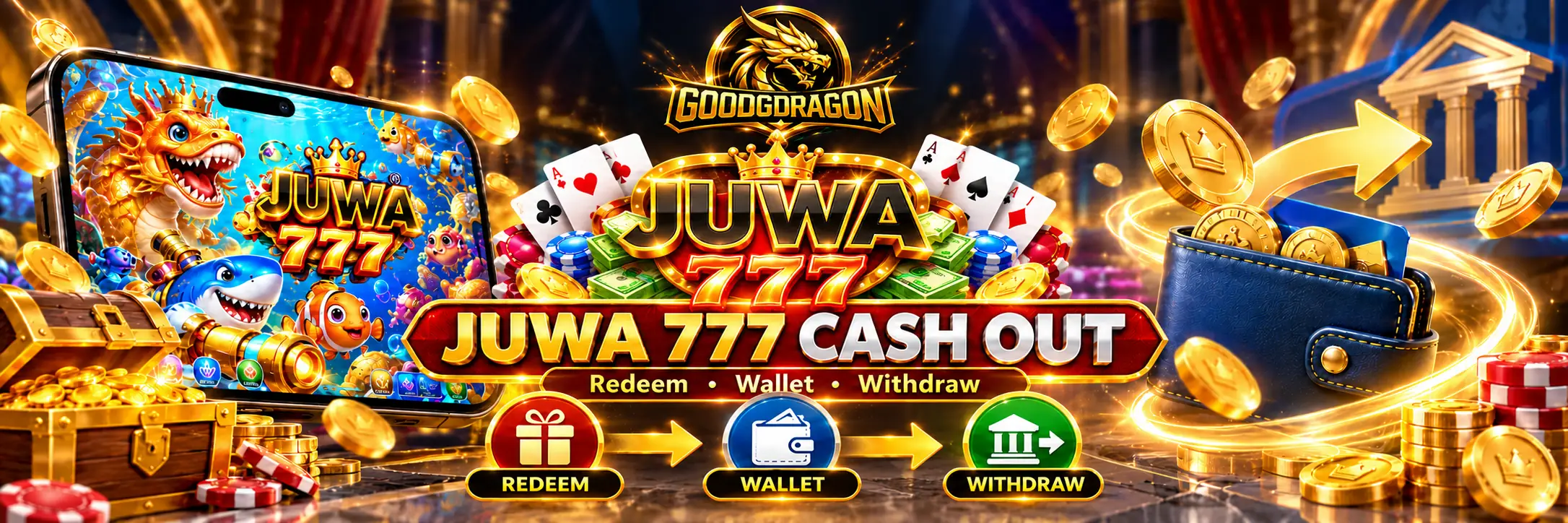
Cashing out from Juwa on GoodGDragon is two steps, not one.
Redeem moves your eligible Juwa game balance back to your GoodGDragon wallet. Withdraw is a separate request that takes eligible value out of the wallet, and it draws only on Redeemable SC.
Finishing the first step does not mean the second has happened.
If you searched for “Juwa 777 cash out,” this guide covers the Juwa platform route available through GoodGDragon. Do not assume withdrawal instructions from another Juwa- or Juwa 777-branded service apply to your GoodGDragon account.
What “Cash Out” Means on Juwa
People searching for Juwa cash-out information can mean different things.
You may want to:
- Move your game balance back into your GoodGDragon wallet
- Request a payout from your wallet
- Complete both steps
On GoodGDragon, these are separate actions:
Redeem — available through the Juwa platform card. It moves eligible game balance back to your GoodGDragon wallet.
Withdraw — handled separately through the GoodGDragon Withdraw page. It requests a payout from eligible wallet balance.
A completed Redeem puts eligible value back into your wallet. It does not automatically complete a withdrawal.
This distinction can cause confusion, so check which step you have actually completed.
Juwa Balance vs GoodGDragon Wallet
Your GoodGDragon wallet and your Juwa game balance are separate.
The Juwa platform card provides the controls used to move eligible value between them.
| ActionFromTo | ||
| Recharge | GoodGDragon wallet | Juwa game balance |
| Redeem | Juwa game balance | GoodGDragon wallet |
| Refresh Balance | — | Updates the displayed game balance |
The GoodGDragon wallet tracks three relevant Sweepstakes Coin balances:
| BalanceWhere it comes fromWhat it does | ||
| Purchased SC | Deposits | Playable |
| Bonus SC | Eligible promotions/rewards | Playable |
| Redeemable SC | Eligible game value redeemed back to the wallet | Balance available for withdrawal |
A figure shown inside Juwa is a game balance.
After an eligible Redeem, value returns to the GoodGDragon wallet.
Only Redeemable SC is available for withdrawal.
How to Cash Out From Juwa on GoodGDragon
Follow the GoodGDragon-connected route:
- Log in to GoodGDragon.
- Open the platform lobby.
- Select the Juwa card.
- Confirm that you are using Juwa rather than Juwa 2.0, since they are separate platform entries.
- Check that the Game ID shown on the card corresponds to the account you used.
- Use Refresh Balance if you want to confirm the currently displayed game balance.
- Select Redeem and follow the options shown on the Juwa card.
- Check your GoodGDragon wallet to confirm the eligible value has returned.
- When you are ready to request a payout, open the Withdraw page and submit a separate withdrawal request from eligible Redeemable SC.
Redeeming and withdrawing are separate steps.
A completed Redeem does not automatically submit a withdrawal request.
For the broader Juwa account and platform workflow, see the GoodGDragon Juwa guide.
Recharge vs Redeem
Recharge and Redeem move eligible value in opposite directions.
Recharge:
GoodGDragon wallet → Juwa game balance
Redeem:
Juwa game balance → GoodGDragon wallet
For the wallet-integrated Juwa route, GoodGDragon currently describes Recharge as moving eligible SC into the connected Juwa balance on a 1:1 basis.
Redeem moves eligible value in the opposite direction.
If your wallet balance decreases while the Juwa game balance increases, you have moved value into the game through Recharge.
If your goal is to move eligible game value back toward your GoodGDragon wallet, use Redeem.
Do You Need to Refresh the Balance First?
Using Refresh Balance is a useful check before assuming something went wrong.
Refresh Balance updates the game-balance figure displayed on the platform card.
It does not itself move value.
So:
Refresh Balance = update the displayed figure
Recharge/Redeem = balance movement
If the displayed Juwa balance looks outdated, use Refresh Balance before concluding that a Recharge or Redeem failed.
Does Juwa 2.0 Use the Same Cash-Out Process?
GoodGDragon currently lists Juwa and Juwa 2.0 as separate platform options.
The Juwa 2.0 platform card also provides account and balance controls including Recharge, Refresh Balance, Redeem and Play Now.
The overall account-level flow is therefore:
Connected game balance → Redeem → GoodGDragon wallet → Withdraw
What you should not assume is that the two Juwa entries share the same game account or balance.
Juwa and Juwa 2.0 are separate platform entries, so confirm which card you used before troubleshooting a balance or redemption.
For the full comparison, see Juwa vs Juwa 2.0: What’s the Difference?
Is There a Minimum Juwa Redemption?
Do not confuse the Redeem step with the GoodGDragon withdrawal minimum.
GoodGDragon currently documents a 30 SC minimum for an account-level withdrawal.
That minimum applies when requesting a withdrawal from the GoodGDragon wallet after eligible value has been redeemed back.
It is not a separate Juwa-specific withdrawal rule.
If the Juwa Redeem control shows any separate requirement, follow the current information displayed on your platform card.
Do not copy minimums from another Juwa-branded website and assume they apply to your GoodGDragon account.
Withdrawal Limits to Check Before Cashing Out
The current withdrawal setup includes these account-level limits:
- Minimum per request: 30 SC
- Maximum per request: depends on VIP tier, with the currently verified range running from 350 SC at Iron to 600 SC at Diamond
The GoodGDragon Withdraw page may also show a daily allowance.
Check the amount currently displayed in your own account, because it can affect how much is available to request at that time.
These are GoodGDragon account-level withdrawal controls rather than Juwa-specific limits.
Because limits and account settings can change, use the current withdrawal flow rather than planning around an older article or screenshot.
How Long Does a Juwa Cash Out Take?
Withdrawals are subject to approval.
Processing time can vary depending on:
- The payout method
- Account review
- Verification requirements
- The current withdrawal process
Check the Withdraw page for the payout options, requirements and processing information currently shown to your account.
Do not assume that an instant or same-day payout claim from another Juwa-branded service applies to GoodGDragon.
Why Your Juwa Cash Out Might Be Pending
A pending request is not, by itself, evidence that something is wrong.
Start by checking your own withdrawal status.
Look for whether:
- The request is still under review or awaiting approval
- The current flow is asking you to complete anything
- Your payout information requires attention
- Your account shows another requirement
Your account is the best place to check the current status before contacting support.
If the reason is unclear, contact GoodGDragon support and ask:
- What is the current status of the request?
- What is causing the delay?
- Is anything still required from me?
- Is there a transaction or request record I can reference?
Keep the relevant transaction information available when contacting support.
Avoid repeatedly submitting the same withdrawal request simply because the first one has not completed.
Why Your Juwa Balances May Look Different
If the balances do not match what you expect, work through these checks.
Check Which Platform Card You Opened
GoodGDragon lists Juwa and Juwa 2.0 separately.
Make sure you are checking the same platform card you actually used.
Refresh the Displayed Balance
If the figure appears outdated, use Refresh Balance before assuming that a transaction failed.
Check Which Wallet Balance Holds the Value
Only Redeemable SC is available for withdrawal.
Purchased SC and Bonus SC are separate playable balances.
A total wallet balance therefore should not automatically be interpreted as the amount currently available for withdrawal.
Check Whether You Used Recharge or Redeem
Recharge and Redeem move value in opposite directions.
If the game balance increased after an action, check whether you used Recharge rather than Redeem.
If the figures still do not reconcile, use the GoodGDragon Contact page and provide the platform name and relevant transaction details.
Don’t Use Cash-Out Instructions From Unrelated Juwa Sites
Several websites and services use Juwa-related branding.
Their:
- Minimums
- Payout methods
- Account systems
- Redemption rules
- Processing times
- Support arrangements
should not automatically be applied to your GoodGDragon account.
Use the Juwa card inside your GoodGDragon account and the GoodGDragon Withdraw page for the route covered here.
Be particularly cautious if someone asks for your Game ID or password to “release”, “unlock”, or process a balance.
Your game credentials are associated with your own platform account.
Do not provide them to an unrelated person or website.
The GoodGDragon withdrawal flow covered here does not require sending an unrelated payment simply to unlock a withdrawal.
For a deeper check of Juwa-branded providers and suspicious access routes, read Juwa 777 Legit or Scam? What Players Should Check
If a Juwa Cash Out Does Not Complete
Work through these steps:
- Confirm whether you used Juwa or Juwa 2.0.
- Refresh the relevant platform balance.
- Confirm whether you completed Redeem.
- Check whether you also submitted the separate withdrawal request.
- Check which GoodGDragon wallet balance currently holds the value.
- Review the withdrawal status shown in your account.
- If the issue remains unclear, contact GoodGDragon support.
When contacting support, provide useful information such as:
- Platform name
- Approximate transaction time
- Relevant transaction details
- The status currently shown in your account
Do not share your password or one-time security codes.
For full Juwa account, login and balance instructions, use the GoodGDragon Juwa guide.
Frequently Asked Questions
How Do I Cash Out on Juwa 777?
For the GoodGDragon Juwa route, cashing out involves two separate steps.
First, use Redeem on the Juwa platform card to move eligible game value back to your GoodGDragon wallet.
Then submit a separate request through the GoodGDragon Withdraw page using eligible Redeemable SC.
Is Redeem the Same as Withdrawing?
No.
Redeem moves eligible value from the Juwa game balance back to your GoodGDragon wallet.
Withdraw is the separate process used to request a payout from eligible Redeemable SC.
Completing Redeem does not automatically submit a withdrawal.
What Is the Minimum Juwa Withdrawal?
GoodGDragon currently documents a 30 SC minimum for an account-level withdrawal.
This is a GoodGDragon wallet rule rather than a separate Juwa-specific withdrawal minimum.
If the Juwa platform card displays a separate Redeem requirement, follow the current information shown there.
How Long Does a Juwa Withdrawal Take?
Withdrawals are subject to approval, and processing time can vary by payout method, account review and the current withdrawal flow.
Check the GoodGDragon Withdraw page for the information currently shown to your account.
Why Is My Juwa Cash Out Pending?
Check the withdrawal status displayed in your GoodGDragon account first.
If the reason is unclear, contact GoodGDragon support and ask for the current request status, the reason for any delay, anything still required from you, and the relevant transaction record.
Does Juwa 2.0 Cash Out the Same Way?
The Juwa 2.0 connected platform card also uses Redeem as part of the wallet flow.
The account-level sequence remains:
Eligible game balance → Redeem → GoodGDragon wallet → Withdraw
However, Juwa and Juwa 2.0 are separate platform entries, so do not assume their game accounts or balances are shared.
See the Juwa vs Juwa 2.0 comparison for the differences.
Why Can’t I Withdraw My Whole Balance?
Only Redeemable SC is available for withdrawal.
The amount you can request can also depend on the current minimum, your VIP-tier maximum and any daily allowance shown in the withdrawal flow.
Check the current Withdraw page for the amount available to your account.
Before You Request a Cash Out
Use the Juwa platform card associated with the account you actually played on.
A useful sequence is:
Juwa card → Refresh Balance → Redeem → GoodGDragon wallet → Withdraw
Check that the value is in the appropriate wallet balance before submitting the withdrawal request.
For the current withdrawal requirements, limits and available payout options, use the GoodGDragon Withdraw page.
For GoodGDragon account rules and eligibility requirements, review the Terms and Conditions.
Access and participation can depend on age, location, account status and the requirements that apply.
Set personal limits, take breaks, and do not play with money you cannot afford to lose.
For account or transaction issues, use the GoodGDragon Contact page or email support@goodgdragon.com.
For responsible-play information and support resources, see the GoodGDragon Responsible Gaming page.