Guides
Golden Dragon Login: How to Access Your Account & Play Online
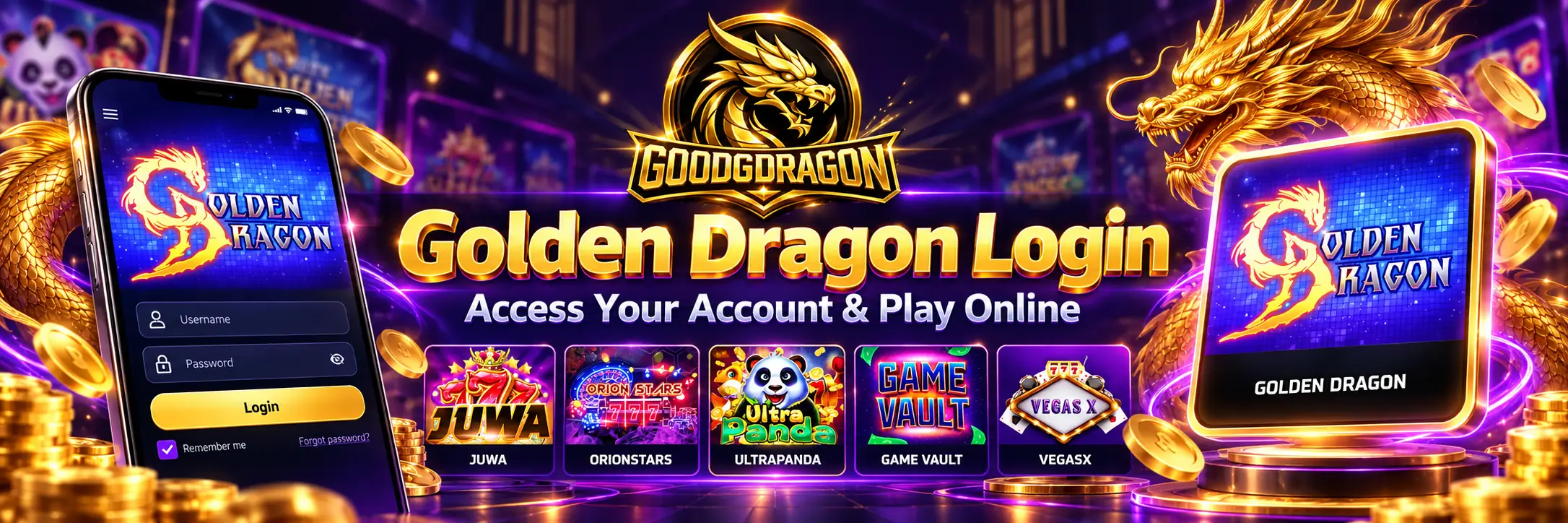
Looking for the Golden Dragon login? If you play through GoodGDragon, open the Golden Dragon card in your lobby — it shows the Game ID and password tied to your connected Golden Dragon account, and Play Now opens the right destination. You can also go straight to the platform at playgd.mobi, but you’ll still need those credentials to sign in.
Golden Dragon also appears online as PlayGD and PlayGD Mobi, and several unrelated sites use the name, so this guide covers how to tell them apart, how to log in on a phone, and what to check when sign-in fails.
Two ways in
Through your GoodGDragon lobby. Sign in, find the Golden Dragon card, and open it. You’ll see the Game ID, password details and the available platform controls such as Recharge, Play Now and Redeem. Hit Play Now.
Straight to the platform. Open Golden Dragon / PlayGD. The client takes a moment to load — you’ll see the Golden Dragon splash screen first — then asks you to sign in.
Either way, the credentials come from the card. If your Golden Dragon account is already active through your GoodGDragon platform card, you shouldn’t need to create another PlayGD account before signing in.
For connecting or registering a game account in the first place, the Golden Dragon platform page walks through the card’s setup options.
Your GoodGDragon password won’t work here
This is an important distinction to understand.
Your GoodGDragon email and password sign you into GoodGDragon — the lobby, your wallet, your balances. Golden Dragon is a separate gaming platform with its own account, and it wants the credentials shown on the card instead. The two aren’t interchangeable, and entering one where the other belongs just returns a failed login.
The card labels the credential as Game ID. On the PlayGD sign-in screen, the corresponding user field may be presented as a Mobile ID. Use the value shown on your Golden Dragon card exactly as displayed.
Type the password manually rather than letting a saved browser entry guess at it. And the obvious point that still needs saying: don’t give that Game ID or password to anyone. No real support channel asks for your password.
Is Golden Dragon the same as PlayGD?
The Golden Dragon client is served from a PlayGD address, which is why the two names travel together in search results along with PlayGD Mobi and Golden Dragon Mobi. When you open the platform, the page you land on is a PlayGD URL.
Shared branding isn’t the same as a shared company, though, and it certainly isn’t a shared account system. A site can carry the same name and still run its own registration, its own balance, and its own terms.
There’s also a separate site at goldendragon.casino, operating under the Golden Dragon name with its own accounts and terms. Nothing it publishes tells you how the PlayGD route behaves. And several slot titles are called “Golden Dragon” too — those are individual games, not this platform.
Logging in on your phone
Same route:
- Open GoodGDragon in your phone’s browser and sign in.
- Find the Golden Dragon card in your lobby.
- Open it and tap Play Now.
- Sign in with the Game ID and password on the card.
Golden Dragon uses a browser-based PlayGD client, so the same link works across devices. Device and browser compatibility can vary.
Do you need the Golden Dragon app?
For the GoodGDragon route described here, a separate app isn’t required — Golden Dragon can be accessed through the PlayGD browser client on supported devices.
Worth knowing, because searching “Golden Dragon app,” “Golden Dragon download” or “PlayGD Mobi APK” returns a pile of pages that don’t all point at the same thing. A download page carrying the Golden Dragon name isn’t evidence it connects to your account. Since the browser route already works, an APK from an unfamiliar site is risk with no payoff.
Golden Dragon login not working?
Work down this list before registering again. A second account won’t recover the first one.
Check you’re using the Game ID, not your email. This happens when someone enters their GoodGDragon email instead of the Golden Dragon Game ID — or Mobile ID, depending on the label you’re shown.
Retype the password. Autofill from another site won’t match, and a copied password can pick up a trailing space.
Check where you actually are. If you arrived from an old bookmark or a search result rather than through the card or the link above, you may be signing in somewhere else entirely.
Go back through the card. Reopening from the lobby takes you to the current destination. A bookmark saved months ago may not.
Give the client time. It may take a few moments to load before the sign-in screen appears, and a slow connection makes that longer. That’s a loading issue, not a password problem.
If Play Now doesn’t open the platform, check whether your browser blocked the new tab or the redirected window.
Still stuck? Contact support through the Help page and mention it’s the Golden Dragon platform account, not your GoodGDragon sign-in.
Forgot your password?
If your Golden Dragon card does not show a password-reset option, contact GoodGDragon support rather than following reset instructions from another Golden Dragon-branded site — those describe a different account system.
And ignore anyone contacting you privately offering to restore access.
Why are there so many Golden Dragon login pages?
Search the name and you get PlayGD pages, mobile-access sites, review articles, download pages, unrelated casinos, and slot games that happen to share the title. None of that implies a shared operator.
A login page is exactly what a copycat site imitates, which is the real argument for starting from your own card: the destination comes from the account you already hold, rather than from a result you have to judge by appearance. If a page asks for information the platform wouldn’t need, or pushes a download at you, close it.
Golden Dragon through GoodGDragon vs other Golden Dragon sites
Golden Dragon is one of the platforms in the GoodGDragon lineup, opened from the card with the Game ID issued there.
Other sites using the name run separate accounts, separate balances, different games and different terms. An account on one doesn’t carry to another, and a balance on one isn’t visible to the other — worth knowing before you spend time trying to log in somewhere that was never holding your account.
FAQs
Where do I log in to Golden Dragon?
Through the Golden Dragon card in your GoodGDragon lobby, or directly at the PlayGD platform link. Either way you sign in with the credentials from the card.
Is Golden Dragon the same as PlayGD?
The client is hosted on a PlayGD address and the names appear together in search results. That doesn’t establish who owns what.
Can I log in on my phone?
Yes, in a mobile browser.
Do I need to download anything?
Not for this route — it runs in the browser.
Can I use my GoodGDragon password?
No. Golden Dragon uses the separate Game ID and password shown on its card.
Why does my login keep failing?
Check the card for the Game ID, retype the password, and make sure you’re on the platform your card opens rather than a similarly named site.
Is Golden Dragon available through GoodGDragon?
Yes, it’s in the current platform lineup.
Open your lobby, pull the Game ID from the Golden Dragon card, and sign in from there. Keep the credentials to yourself, and use the Help page if access problems continue.
GoodGDragon requires players to be at least 18, or the age of majority in their state if higher. Availability depends on location — the platform is not available in all states — and play is void where prohibited. GoodGDragon states that no purchase is required to enter sweepstakes, with participation subject to eligibility and the applicable official rules. Review the current Terms and Conditions, along with any published No Purchase Necessary or AMOE rules, before participating, and see Responsible Gaming for account controls and support.