Guides
How to Get Started with VBlink on GoodGDragon: Setup, Login and First Play
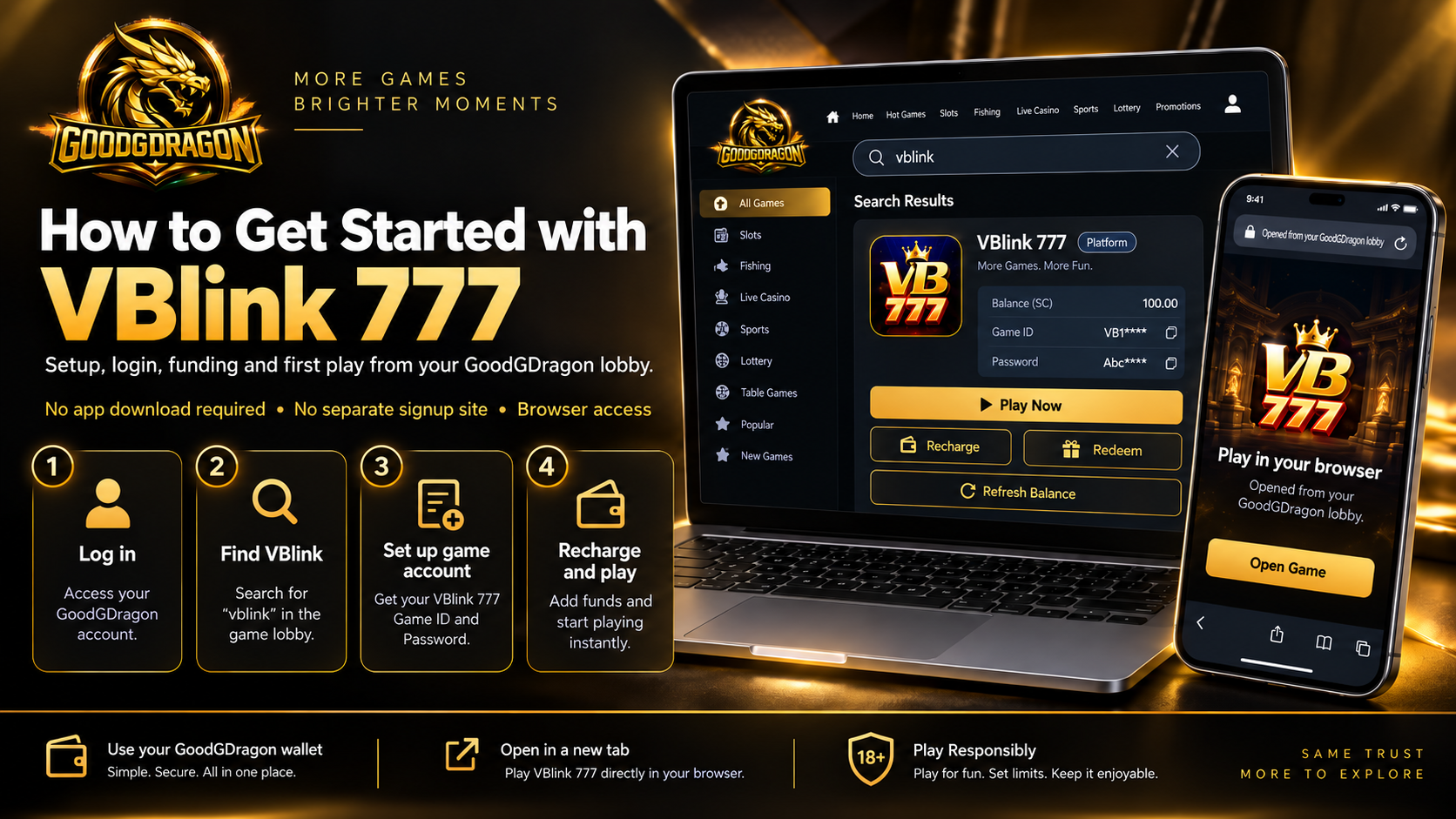
VBlink is one of the wallet-integrated platforms in your GoodGDragon lobby. Log in, find the VBlink card, set up your game account, and play from there.
This guide covers what you need, how the game account works, where your login details come from, how to fund it, and what to do when something won't open.
What You Need First
- A GoodGDragon account — register if you don't have one
- A web browser
- A stable connection
Your VBlink game account is connected or registered through the platform flow in your GoodGDragon account.
Finding VBlink in Your Lobby
Sign in and use the lobby search box — type "vblink" and the card appears rather than scrolling the full platform list.
The VBlink card shows your balance, Game ID, password, and the Recharge, Play Now and Redeem controls. There's a Refresh Balance button on the card too.
Play Now opens the game in a new tab. If nothing happens, check whether your browser blocked a popup.
Setting Up Your VBlink Game Account
Here's the part that catches people out. Your GoodGDragon account gets you into the lobby, but each platform runs on its own separate game account. They aren't the same login.
Two ways to sort it:
Connect Your Account — if you already have a VBlink account, link it using your existing game username.
Register — if you don't, a new VBlink game account is created for you.
Once that's done, your Game ID and password appear on the card, each with a copy button beside it. Click to reveal the password, and copy either value if the game asks for it directly.
So the answer to "where do I get my VBlink username and password" is: your lobby card, once the game account is connected or registered.
Logging In
Open VBlink through Play Now on the card, then use the credentials shown there if prompted.
Copy the Game ID and password directly from the card rather than retyping them, to reduce entry errors.
Funding VBlink
GoodGDragon runs on Sweepstakes Coins, and getting them into a game takes two steps.
Buy SC on the Deposit page → Recharge into VBlink
Your payment buys SC, which lands in your wallet. Recharge moves it into the game. If SC appears in your GoodGDragon wallet but not in VBlink, check whether the Recharge step was completed.
Coming back out works in reverse. Redeem moves coins from VBlink back to your wallet as SC. Withdraw cashes out, and only Redeemable SC can be withdrawn, which is why your wallet tracks purchased, bonus and redeemable balances separately.
Buying coins
Open the Deposit page and choose a payment method first — the page then shows the packs that method can process. Pack availability and values can change, so check the current Deposit page before paying.
| Payment methodProcessing time | |
| Credit/Debit Card | Instant |
| Cash App | Instant |
| Chime Auto | Instant |
| Chime Manual | 2–5 minutes |
| Apple Pay | Instant |
| Google Pay | Instant |
Those times cover money reaching your wallet. The recharge into VBlink is still yours to do.
Account-Level Features vs the VBlink Card
Worth separating two things. Recharge, Redeem, Play Now and Refresh Balance are VBlink card controls — they act on that one platform.
Your wallet, Bonus features, Promotions, referral and VIP sit at GoodGDragon account level and aren't VBlink features. Where an offer applies to a specific game, the offer says so, so check its terms rather than assuming it reaches VBlink.
When Something Won't Work
You can't find VBlink
Use the lobby search box rather than scrolling. Typing "vblink" narrows it to one card.
VBlink won't open
Play Now opens a new tab, so check for a blocked popup first. If it still won't load, check your connection, then refresh the lobby and try again from your signed-in account.
Your credentials aren't accepted
Copy the credentials shown on the card again. If they are still rejected, contact support.
You paid but VBlink shows nothing
Check your wallet. If the SC is still there, the recharge may not have completed, or the coins may have been recharged elsewhere. If the wallet is empty too and the payment shows as completed, that points to an issue earlier in the deposit flow.
Either way, don't pay again. Contact support through the in-app live chat or at support@goodgdragon.com, say which stage it stopped at, and have your transaction reference ready.
The balance looks stale
Use Refresh Balance on the card before assuming anything went wrong.
Frequently Asked Questions
How do I get started with VBlink?
Log in to GoodGDragon, find the VBlink card in your lobby, then set up the game account using Connect Your Account or Register. Your Game ID and password appear on the card.
Do I need a separate VBlink account?
Yes. Your GoodGDragon account gets you into the lobby, and each platform has its own game account. Connect an existing one or register a new one from the card.
Where do I find my VBlink username and password?
On the VBlink card in your lobby, once the game account is connected or registered. Both have copy buttons.
Why is my VBlink login not working?
Copy the credentials shown on the card again rather than retyping them. If they are still rejected, contact GoodGDragon support.
How do I add coins to VBlink?
Buy Sweepstakes Coins on the Deposit page, then use Recharge on the VBlink card to move them into the game. Two separate steps.
Why is my wallet showing coins but VBlink isn't?
The recharge may not have completed, or the coins may have been recharged into a different platform. Check before paying again.
Who do I contact if something goes wrong?
GoodGDragon support, through the in-app live chat or support@goodgdragon.com. Keep your transaction reference to hand.
Play Responsibly
Access and participation may depend on age, location, account status, and the terms that apply to the platform or promotion you are using. You must be 18+ to participate. Set personal limits, take breaks, and never play with money you cannot afford to lose. If you need help, contact support@goodgdragon.com or visit ncpgambling.org.